
Reviews · Accessories & Charging
CalDigit TS5 Plus review: the Thunderbolt 5 dock that makes your desk feel like a server room
20 ports, 80Gb/s Thunderbolt 5, 10Gb Ethernet, dual SD readers and 140W charging off one cable. Here is why this is the endgame dock for creators.
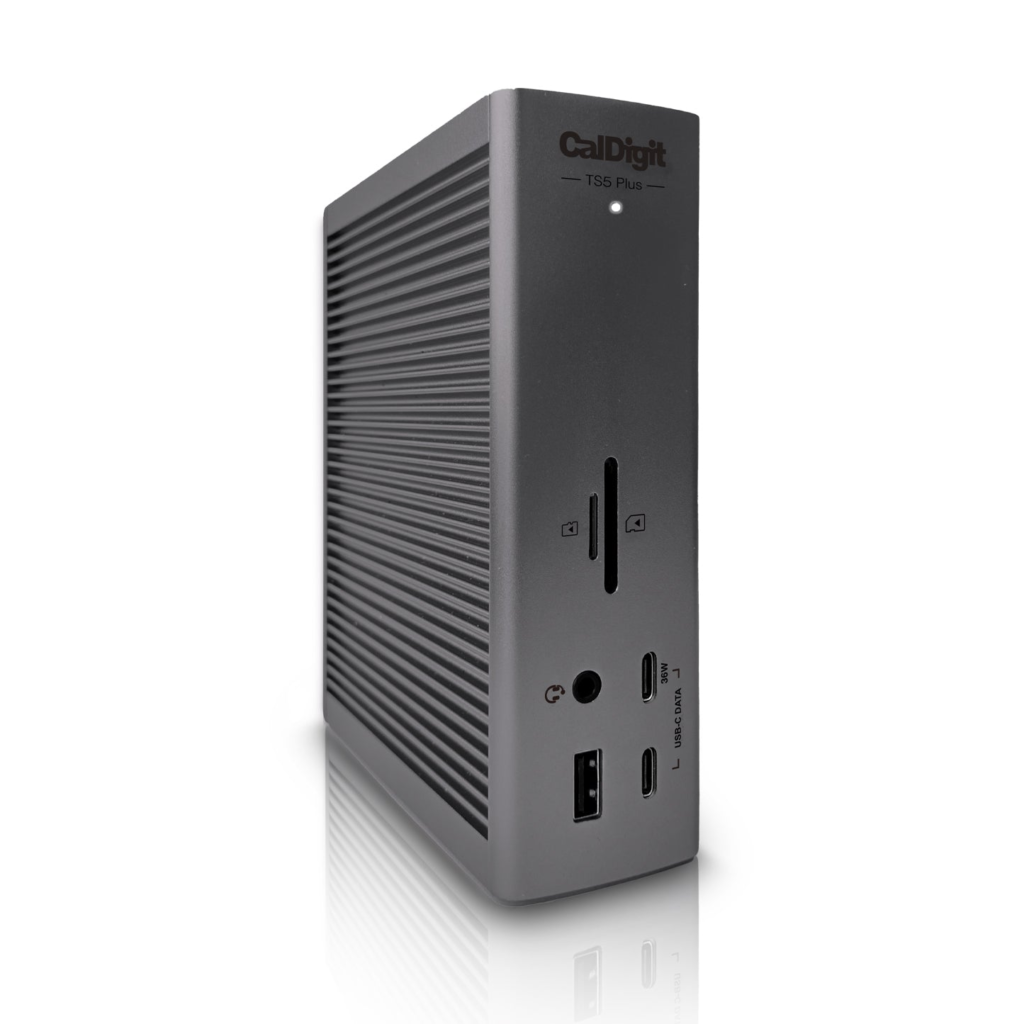 Image: CalDigit
- Ports
- 20 total: 3x Thunderbolt 5, 5x USB-C 10Gb/s, 5x USB-A 10Gb/s
- Bandwidth
- 80Gb/s Thunderbolt 5
- Charging
- 140W to your laptop, 330W power supply included
- Network
- 10 Gigabit Ethernet
- Displays
- Dual 6K or dual 8K on supported Macs, DisplayPort 2.1
- Media
- SD 4.0 and microSD 4.0 UHS-II readers
Strengths
- Plugs in once, powers your entire desk
- 10GbE is 10x faster than typical docks
- Enough charging for a 16-inch MacBook Pro
Watch-outs
- Needs a Thunderbolt 5 or USB4 v2 host for full speed
- A premium price for a dock
> verdict The most loaded desk dock you can buy: Thunderbolt 5, 10Gb Ethernet and 140W of laptop charging off one cable.
Hands-on testing underway.
A human reviewer is living with the CalDigit TS5 Plus Thunderbolt 5 Dock through real days, commutes and quirks. The verdict lands here once testing is complete.
Every great desk has a dirty secret: a rat's nest of dongles behind the monitor. The CalDigit TS5 Plus deletes that secret. One Thunderbolt 5 cable goes into your laptop and suddenly you have 20 ports, 10 Gigabit Ethernet and up to 140 watts of charging.
Our AI agent analyzed the full port map and CalDigit's specs. If you edit video, move huge files or run multiple big monitors, this is as good as docks get right now.
CalDigit TS5 Plus Thunderbolt 5 Dock at a glance: how it scores
- 🔌 Ports20, including three 80Gb/s Thunderbolt 5
- 🔋 Laptop chargingUp to 140W from a 330W supply
- 🌐 Network10GbE, ten times standard Ethernet
- 🖥️ DisplaysDual 6K, or dual 8K on supported Macs
- 💾 CardsSD 4.0 and microSD 4.0 UHS-II
🚀 Thunderbolt 5 bandwidth
80Gb/s is double Thunderbolt 4. In real life that means fast external SSDs, high-resolution displays and your peripherals all share one pipe without choking each other. CalDigit even splits USB across two separate controllers so the front and back ports do not fight for bandwidth.
🌐 10 Gigabit Ethernet
Most docks top out at 1 or 2.5Gb Ethernet. The TS5 Plus gives you 10GbE, perfect for NAS storage and shared video projects. Note: CalDigit lists Ethernet support for specific host platforms, so check compatibility for your machine.
🔋 Real laptop power
140W of host charging is enough for a 16-inch MacBook Pro under load, and the bundled 330W power brick leaves headroom for bus-powered drives and accessories. One cable charges, connects and displays.
🖥️ Monitors galore
On Macs it drives dual 6K displays, or dual 8K where supported, with triple 6K on M5 Pro and Max chips per CalDigit. Windows users can push even more screens depending on their hardware.
✅ Who should buy it
- Video editors and photographers moving big files
- MacBook Pro owners with multi-monitor setups
- Anyone with a NAS or 10GbE network
- People who want one-cable desk setups
🚫 Who should skip it
- Casual users with one monitor and a mouse
- Laptops without Thunderbolt or USB4
❓ Quick FAQ
Will it work with my Thunderbolt 4 laptop? Yes, it is backward compatible, but you only get full 80Gb/s with a Thunderbolt 5 or USB4 v2 host.
Is the power supply included? Yes, a 330W supply comes in the box.
🏁 The bottom line
The CalDigit TS5 Plus is the dock you buy once and stop thinking about. Twenty ports, 10GbE and Thunderbolt 5 speed turn any laptop into a full workstation. If your desk is your office, this is the upgrade that pays you back every single day.