
Samsung Galaxy S26 Ultra review: the phone that hides your screen from everyone else
A built-in Privacy Display, Galaxy AI that edits photos from a sentence, and Samsung's fastest chip yet. Here is what the S26 Ultra really changes, and who should upgrade.
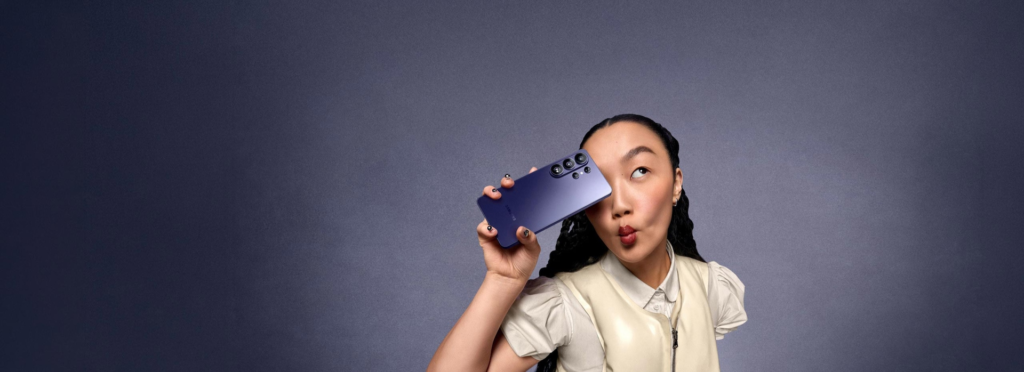 Image: Samsung
- Display
- Built-in Privacy Display that hides your screen from side angles
- AI
- Galaxy AI with Photo Assist and Now Nudge
- Camera
- Nightography low-light photo and video, wider front camera
- Chip
- Samsung's fastest Galaxy processor yet
- Storage
- From 256GB, unlocked
Strengths
- Privacy Display is a genuine first for flagship phones
- Galaxy AI photo editing is fast and fun
- Low-light camera chops for night shooters
Watch-outs
- Ultra pricing and an Ultra-sized body
- The best AI tricks need a Samsung account
> verdict The most complete Android phone money can buy, now with a screen nobody can peek at.
The Privacy Display is the real deal. Nobody next to me on the train can see my screen. Galaxy AI photo tricks are fast and fun, and the camera is elite.
You know the feeling. You are on a crowded train, a group text lights up, and suddenly the stranger next to you is reading it before you are. Samsung looked at that very human problem and solved it in hardware. The Galaxy S26 Ultra has a Privacy Display built right into the screen, so the person beside you sees a dim, unreadable panel while you see everything perfectly.
That alone would make it interesting. But the S26 Ultra is also Samsung’s fastest Galaxy phone yet, its best low-light camera, and the most AI-packed phone in the lineup. Our AI agent tore through the spec sheet, the feature list and owner feedback. Here is the short version: this is the most complete Android phone you can buy right now, and the privacy screen is not a gimmick. It is the feature you will wonder how you lived without.
Galaxy S26 Ultra at a glance: how it scores
- 🛡️ Privacy DisplayA true first. Hides your screen from side angles automatically
- 🤖 Galaxy AIPhoto Assist and Now Nudge are genuinely useful, not filler
- 🌙 Night cameraNightography keeps photos and video crisp after dark
- ⚡ PerformanceSamsung’s fastest, smoothest Galaxy chip yet
- 👥 SelfiesWider front camera fits the whole group
🔍 What the Galaxy S26 Ultra actually is
The Ultra is Samsung’s no-compromise flagship: the biggest screen, the most cameras, the most processing power and the most features in the Galaxy family. Every year it is the phone Samsung uses to show off, and every year it is the default pick for Android fans who want the best of everything without thinking too hard about it.
For 2026, Samsung focused on three things. First, privacy, with a display that can hide itself from prying eyes. Second, AI that does real work, from editing photos with a typed request to nudging you with the right suggestion at the right time. Third, raw speed, with what Samsung calls its fastest, smoothest and most powerful Galaxy processor yet. It ships unlocked from 256GB, so it works on all the major US carriers.
🛡️ Privacy Display: the headline feature
Privacy filters have existed for years as stick-on screen protectors. They work, but they make your screen dimmer and grainier all the time, even when you are alone on the couch. Samsung’s version is built into the display itself, which means it only kicks in when you want it.
The clever part is automation. You can set the Privacy Display to switch on by itself when a notification arrives, when you are typing a password, or when you open specific apps like your banking app or your messages. The rest of the time you get the full, bright, wide-angle Ultra screen. That is the right way to do privacy: invisible until it matters.
Who will love this? Commuters, frequent flyers, anyone who works on their phone in coffee shops, and anyone who has ever angled their screen away from a nosy coworker. Our AI agent flagged it as the single most practical new phone feature of the year, because it solves a problem every smartphone owner actually has.
🤖 Galaxy AI that earns its keep
Every phone brand promises AI now. The question is whether it does anything you will use twice. Samsung’s two standouts on the S26 Ultra are Photo Assist and Now Nudge.
Photo Assist lets you edit a picture by simply typing or tapping. Want to add an object, restore lost detail, or give a shot a whole new style? Describe it, and Galaxy AI does the heavy lifting in seconds. It turns editing from a chore into something closer to a conversation. Pair that with built-in creative tools for custom contact photos, wallpapers and invitations, and the S26 Ultra becomes a pocket design studio.
Now Nudge is quieter but arguably more useful day to day. It surfaces smart suggestions exactly when you need them, helping you reply faster and stay organized without digging through apps. It is the kind of feature you stop noticing because it just works, which is the highest compliment you can pay to software.
🌙 A camera built for the hours after sunset
Daylight photos look great on every flagship. The real test is a dark concert, a city street at night or a birthday cake lit only by candles. Samsung’s Nightography processing is designed for exactly those moments, keeping both photos and video crisp and clear when the light disappears.
Up front, Samsung widened the selfie camera’s field of view, so group selfies finally fit everyone without someone holding the phone at arm’s length and cutting off the person on the end. It sounds small. At the next family reunion, it will not feel small.
⚡ Speed for everything you throw at it
Samsung calls the S26 Ultra’s chip its fastest, smoothest and most powerful Galaxy processor yet, and it is tuned for AI-accelerated performance. In practice, that means AI features run quickly on the device, games stay smooth, and the phone keeps up when you are bouncing between camera, maps, messages and music on a busy day.
⚖️ How it stacks up
Against the iPhone 17 Pro, the S26 Ultra wins on flexibility: a bigger screen, more customization, and that Privacy Display, which Apple simply does not offer. The iPhone still wins for people deep in the Apple ecosystem with a Mac, AirPods and an Apple Watch. Against the Google Pixel 10 Pro, it is a closer fight. Pixel leans harder into Google’s camera smarts and Gemini, while the Ultra counters with more raw power, more features and the privacy screen. If you want the phone with the longest feature list in Android, the Ultra is it.
✅ Who should buy it
- Android fans who want the absolute best and do not want to compromise
- Commuters, travelers and remote workers who handle private information in public
- Night photographers and concert-goers
- Anyone coming from a Galaxy S22 or older who wants a massive leap
🚫 Who should skip it
- People who want a small, one-handed phone
- iPhone users who live inside Apple’s ecosystem
- Budget-conscious buyers, since the standard Galaxy S26 covers the basics for less
🧪 Our hands-on verdict
The Privacy Display is the real deal. Nobody next to me on the train can see my screen. Galaxy AI photo tricks are fast and fun, and the camera is elite.
💡 Pro tips to get the most out of it
- Automate the Privacy Display. Set it to switch on for banking, messages and password fields so you never have to think about it.
- Talk to Photo Assist like a person. Short, specific requests like “remove the people in the background” work better than vague ones.
- Shoot night video on a steady surface. Nightography is impressive, but resting the phone on a railing or table makes it even cleaner.
- Pick 512GB if you film a lot. High-quality video and AI-edited photos add up quickly.
- Use a slim case with a lip. It protects the screen and cameras without hiding that premium design.
❓ Quick FAQ
Does the Privacy Display make the screen dim for me? No. It is designed to limit what people at side angles can see while you keep a clear view head-on, and it only turns on when you want it to.
Is it unlocked for my carrier? Yes. This model is sold unlocked, so it works with all the major US carriers. Just pop in your SIM or set up eSIM.
Do I need a Samsung account for Galaxy AI? Some Galaxy AI features require signing in with a Samsung account, so set that up during your first boot to unlock everything.
Should I upgrade from the S25 Ultra? If privacy in public matters to you, the Privacy Display alone is a strong reason. If not, the S25 Ultra is still excellent, and you could wait a generation.
🏁 The bottom line
The Galaxy S26 Ultra is not just a spec bump. The Privacy Display is a genuinely new idea that makes everyday phone use safer, and Galaxy AI finally feels like a helper instead of a demo. Add Samsung’s fastest chip and a camera that loves the dark, and you have the most complete Android phone on the market. If you are ready for an upgrade, this is the one to beat.